Difficulty
Moderate
Steps
3
Time Required
02:00:00
- F) Z Installation 3 steps

In Progress
This guide is currently being written. Reload periodically to see the latest changes.

User-Contributed Guide
This guide is not managed by the site's staff.

Private
This guide will not appear in search results and can only be viewed by team members!
Quiz
0
Introduction
It's assumed that you're building a kit from Filastruder, and you've completed all previous sections. At the end of this section you should have a complete frame assembled for your RailCore.
-
-
Using (16) M3x10 socket head screws and (16) M3 washers, attach the bottom to the frame.
-
Loosen your corner cubes when attaching the bottom or sides to the frame. The acrylic pieces will attempt to pull the frame into square.
-
Be sure the bottom panel is in the right orientation. The side with (5) large holes should be on the right side of the printer. For reference, the bottom right extrusion should have (10) M3 nuts in it's top channel.
-
-
-
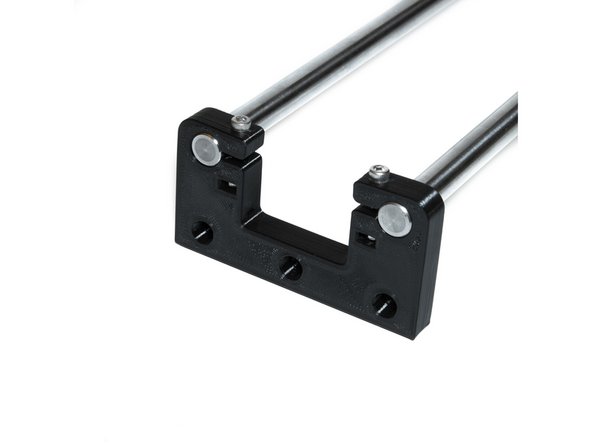
Each Z tower consists of the following printed parts: (1) printed Z yoke and (2) printed Z rod holders.
-
-
-
Using (2) M3 nuts and (2) M3 x 20 socket head screws, tighten a Z rod holder to the smooth rods. The rod top of the Z rod holder should be flush with the top of the smooth rods.
-
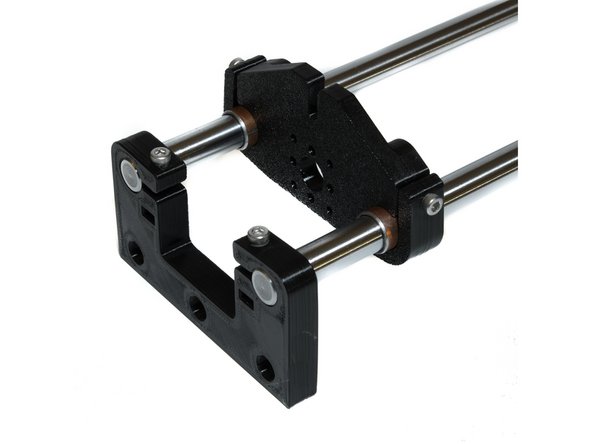
Slide the Z yoke on the smooth rods.
-
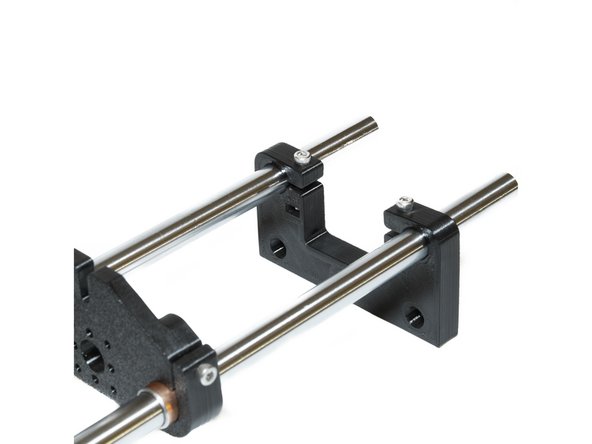
Using (2) M3 nuts and (2) M3 x 20 socket head screws, attach a Z rod holder to the bottom of the smooth rods, leaving about 15mm of smooth rod at the bottom.
-
Use the images provided for proper orientation of printed parts.
-